Online password generator
Online generator: passwords, passphrases, and PINs — options and strength estimate.
The online generator creates secrets in your browser — nothing is sent to the server for generation. Three modes: password, passphrase, PIN.
Open /tools/password-generator from the hub or the Tools menu.
Create a password
Open the tool
The page shows the title, a reminder that everything runs locally, and Learn more (this doc).
Generator — password mode
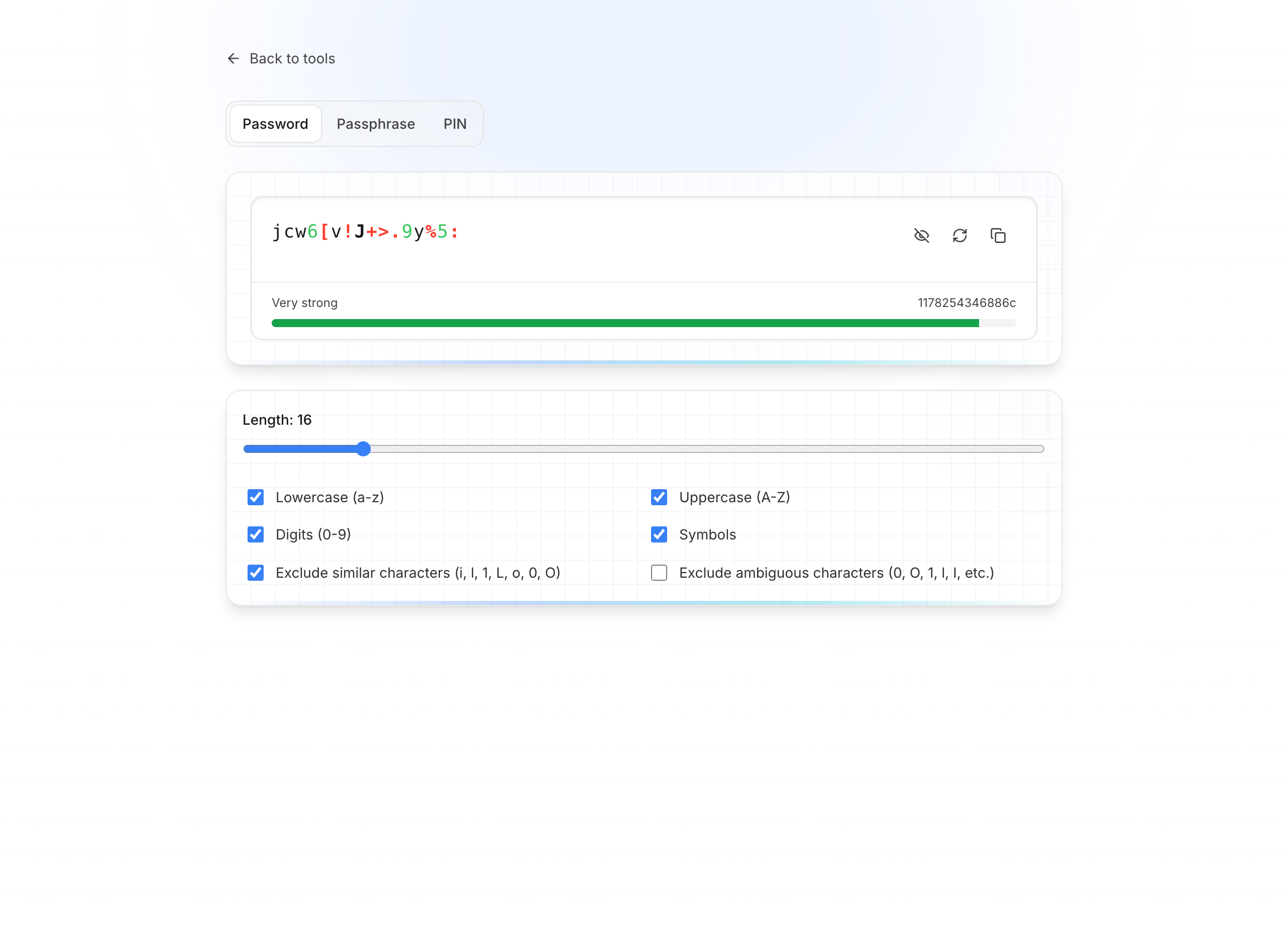
Select Password
In the top selector, leave the Password tab active (default).
Set the length
Drag the Length slider (e.g. 16). Longer is harder to guess.
Choose character sets
Toggle:
- Lowercase (a–z)
- Uppercase (A–Z)
- Digits (0–9)
- Symbols
Useful options:
- Exclude similar characters (i, l, 1, L, o, 0, O…)
- Exclude ambiguous characters
These reduce mix-ups when reading aloud.
Check strength and copy
Below the result, a bar shows strength (e.g. Strong).
Buttons to the right of the secret:
- Hide / Show — temporarily hide on screen
- Regenerate — new draw with the same options
- Copy — clipboard
Then paste into the site or vault you need.
Passphrase mode
A passphrase combines several words from a list — often easier to remember than a random password, while staying strong.
Generator — passphrase
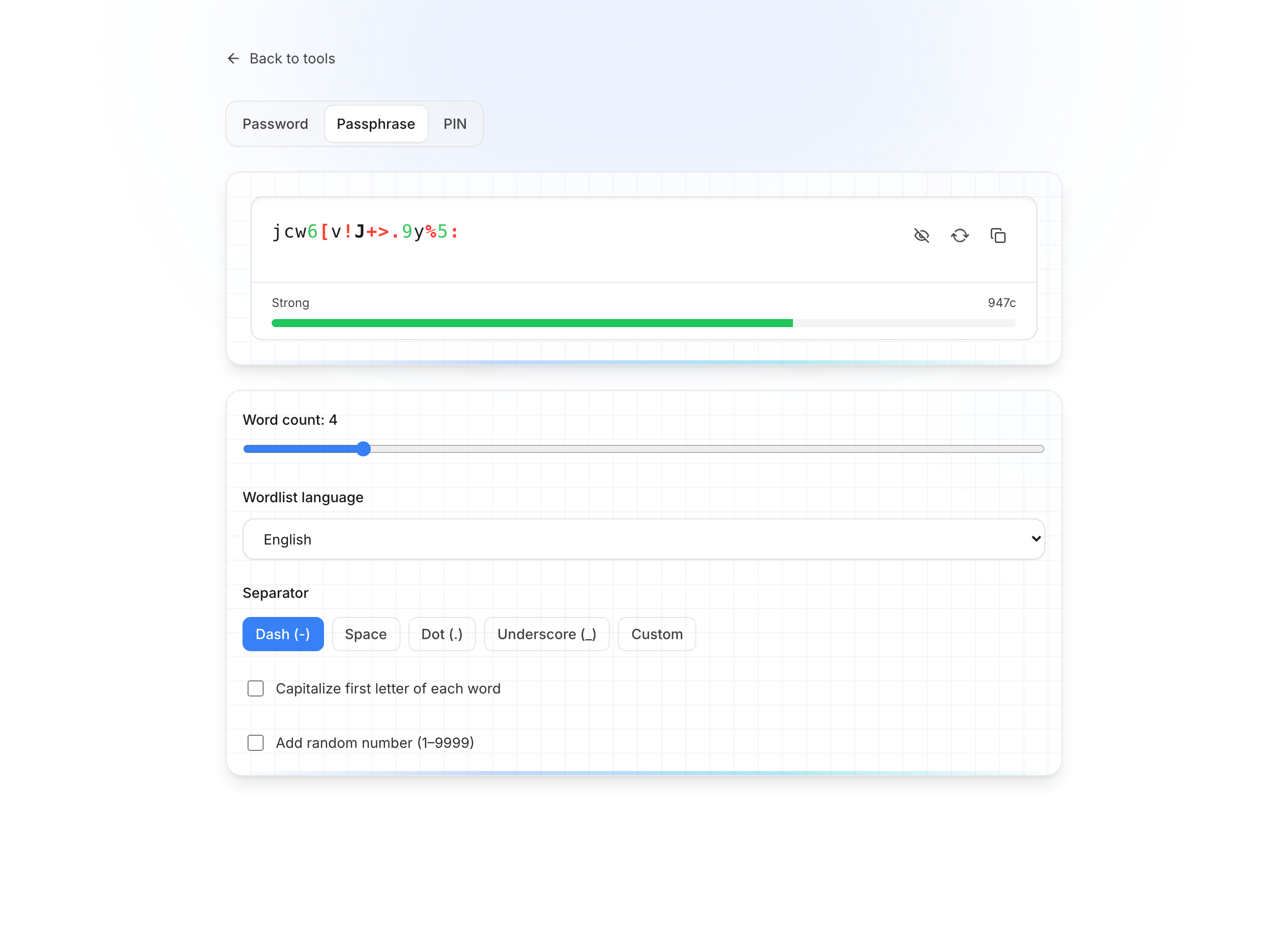
- Click the Passphrase tab
- Set the number of words (e.g. 4)
- Choose the word-list language (English, French, German, Spanish, Italian, Russian)
- Choose the separator: hyphen, space, period, underscore, or custom
- Options: capitalize first word, add a random number
- Copy or Regenerate as with a password
PIN mode
For a numeric code (card, device, etc.):
Generator — PIN
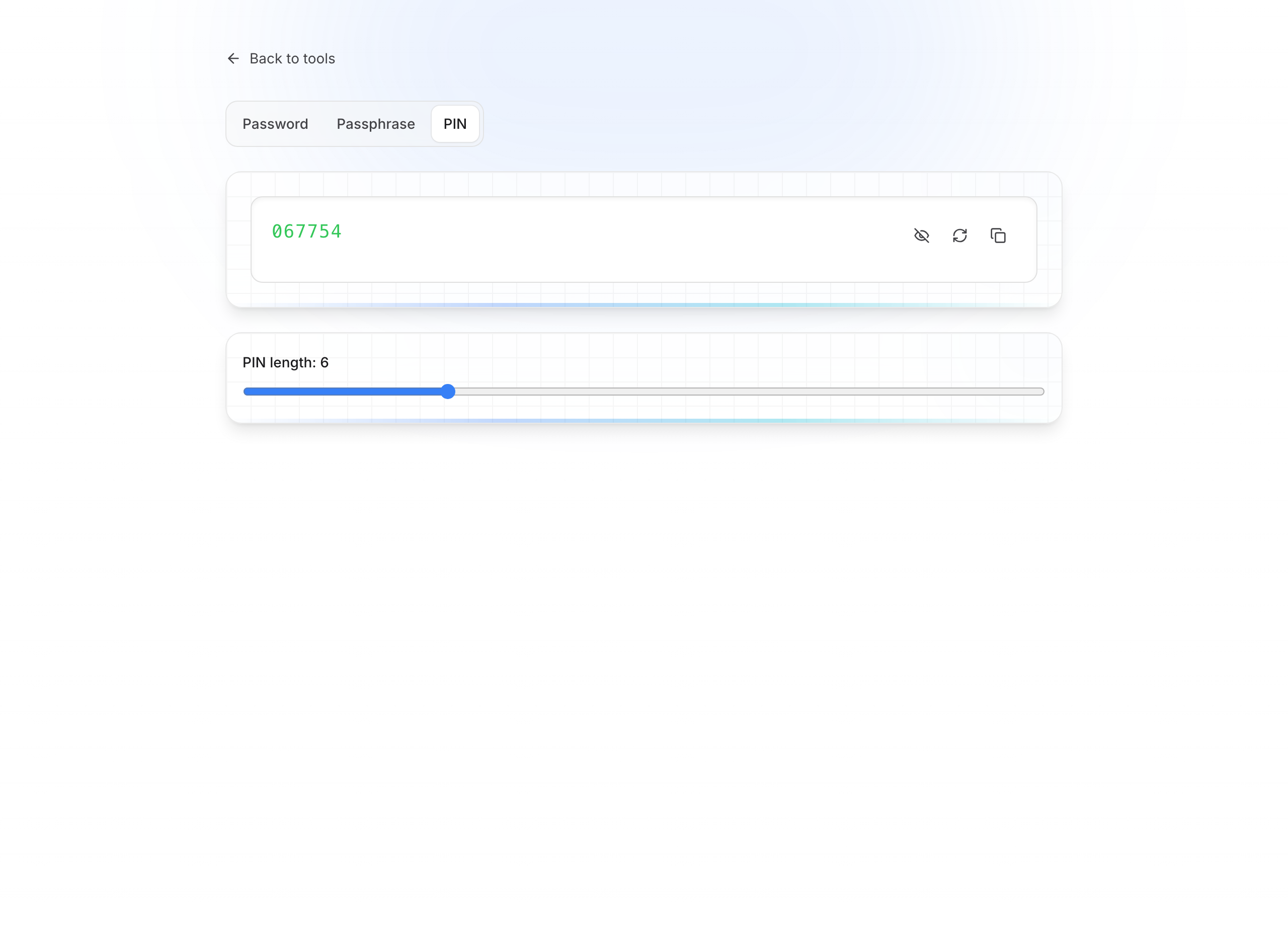
- PIN tab
- Set PIN length (slider)
- Copy the result (digits only)
Best practices
Tips
- Regenerate if you dislike the result — each draw is independent
- To store the secret long-term, save it in the QubKey vault (desktop app)
- The generator inside the vault (app) is documented separately under desktop tools