Web tools
Sharing settings
Reference for temporary link options (duration, views, password, message).
Reference for options when creating a link on /tools/secure-share. To create a link: Secure share.
Share form options
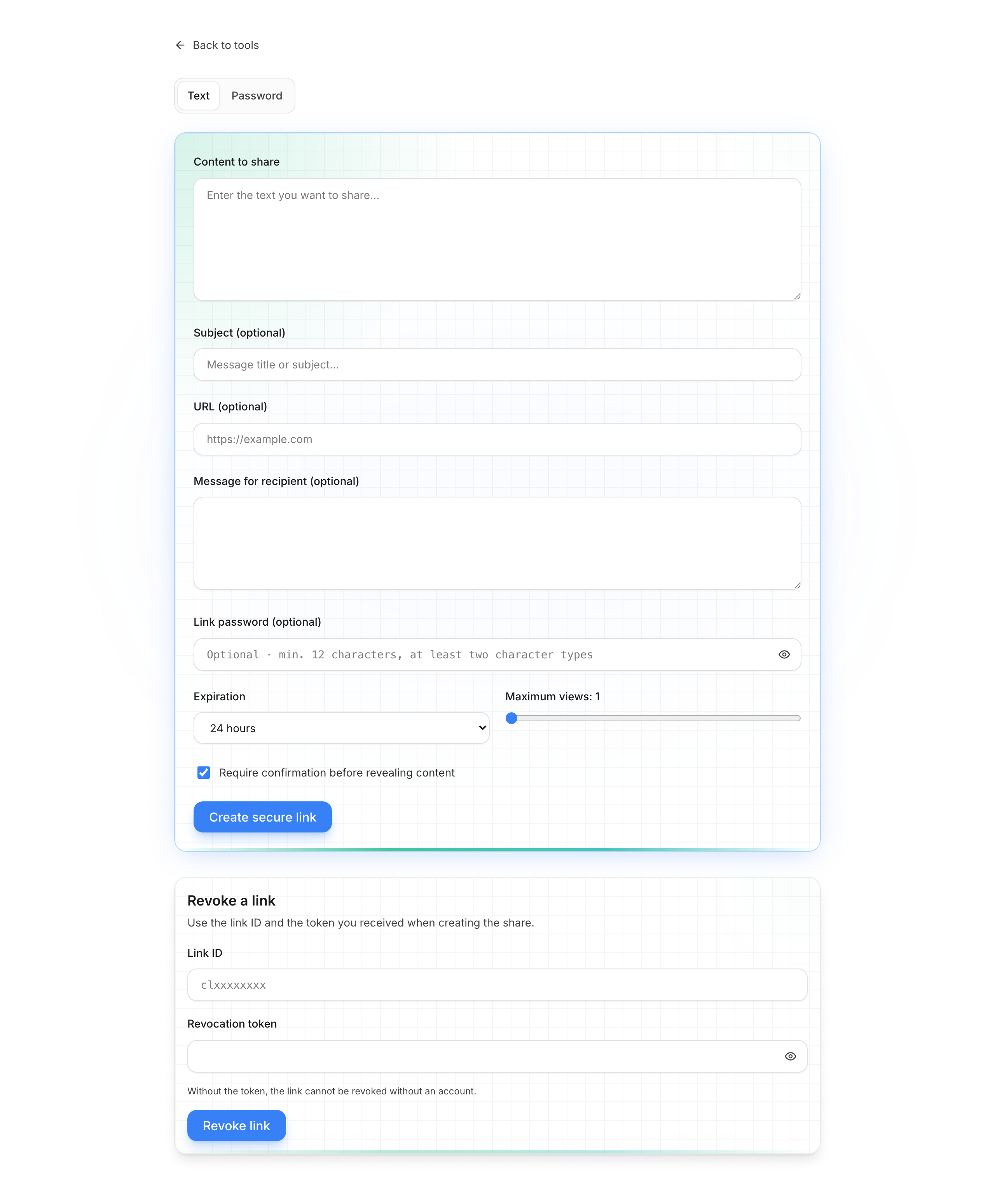
Options table
| Setting | What it’s for | Values / tips |
|---|---|---|
| Content type | Free text or password (masked on reveal) | Text / Password |
| Subject / URL | Context for the recipient (optional) | Short title, related site link |
| Recipient message | Text shown before reveal | e.g. “Here is the Wi‑Fi code” |
| Link password | Extra protection — share separately | Optional · min. 12 chars, 2 types |
| Expiration | How long the link stays valid | 1 h – 30 days, after first view, or custom (hours) |
| Max views | Allowed opens | 1 – 100 |
| Confirm before reveal | Avoids accidental reveal (preview, quick click) | Recommended for one-time use |
| Revocation token | Revoke without an account | Shown once at creation — save it |
| QubKey account | List, extend, revoke your links | Optional — My space |
These options apply to web sharing. For sharing from a vault entry (attachments, in-app management), see Secure temporary link.
Privacy
The service only receives already-encrypted content. Part of the key stays in the URL # fragment — never truncate the link when copying.