My space
Account dashboard
Account overview: indicators, quick actions, and recent tickets.
The dashboard (/account) is the home page after sign-in. It summarizes your account activity and offers shortcuts.
Dashboard — My space
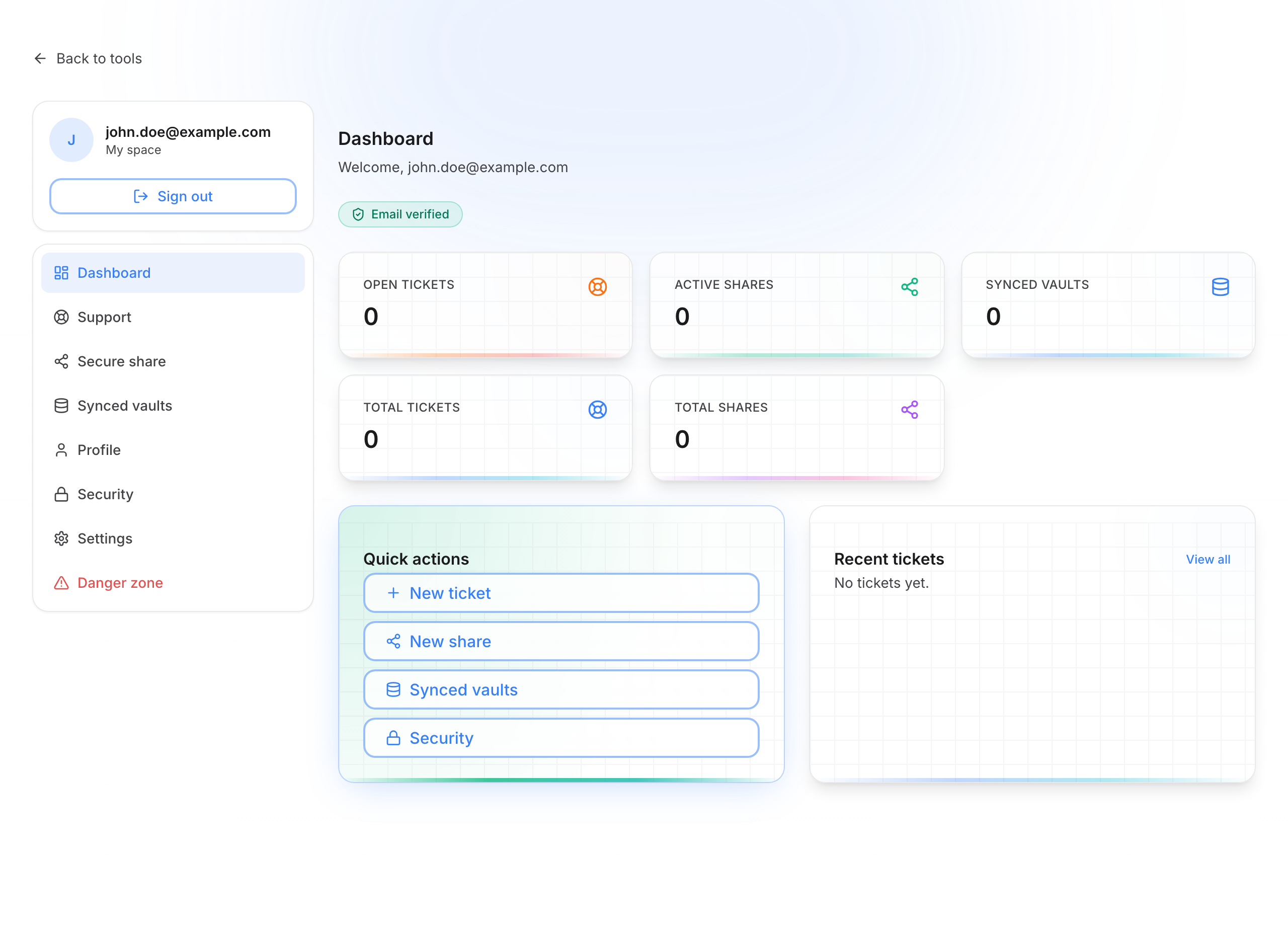
What you see
Welcome header
- A message like Welcome, you@email.com
- Badge Email verified or Email pending verification
Indicators (cards)
| Card | Meaning |
|---|---|
| Open tickets | Help requests that are still active (not yet solved or closed) |
| Active shares | Temporary links that are still valid and can still be opened |
| Synced vaults | App vaults linked to this account for cloud sync |
| Total tickets / Total shares | Totals since the account was created |
Click a card to open the matching section (Support, Shares, Vaults).
Quick actions
Buttons to go faster, for example:
- New ticket → support form
- New share →
/tools/secure-sharetool - Vaults or Security (sessions)
Recent tickets
Your latest tickets appear with their status. View all opens the full list.
Navigation
On the left, the sidebar stays visible on every My space page. At the top: your email, the My space title, and Sign out.